


You can do this to try to explore some old ideas you have or even to write some massive mode that you just wouldn't have the time to do it by hand.
The idea here is just to show what you can do by giving access to a modern AI agent, and it's worth to try since you can do it for free.
To begin you totally do this in a linux machine, that's where AI agents thrive since they can use the full power of linux commands to do what they have to do.
You can try to do this in some agent like claude code but i'm gonna use opencode so you can do it without having a paid subscription. Assume that the data you give it to process will be store on their servers and used by them. But then again you should assume the same if you have a paid subscription.
To make the AI agent work for you to its best ability you should help him doing the full loop:
1 - create the code
2 - validate the code / compile
3 - deploy the plugin
4 - run the game
5 - somehow test if the plugin its doing what is intended
The part of testing if the plugin is working correctly is the hardest part since it's not about simple text processing. So you should first ask the agent to test RCON commands and test taking screenshots of the actual game. This will allow it to interact with the game and collect info about what is going on, helping it checking if it has to loop again and go to step 1, fixing what it has to do, before passing the control again to you.
So let's begin by installing opencode:
Other OS installers are attached here
Windows x64
Windows Arm64
Apple x64
Apple Arm64
Linux Deb
Linux Rpm
Go to https://opencode.ai/ and find the install command for Linux:
Code: Select all
curl -fsSL https://opencode.ai/v2/install | bashIt will open a console program that looks like this:

It starts by using the LLM model "Big Pickle". I will use "Muse Spark 1.3 Free". You can test with whichever you want but it will be better if it has the ability to process images. Some LLM's natively process images as they do text.
CTRL + P

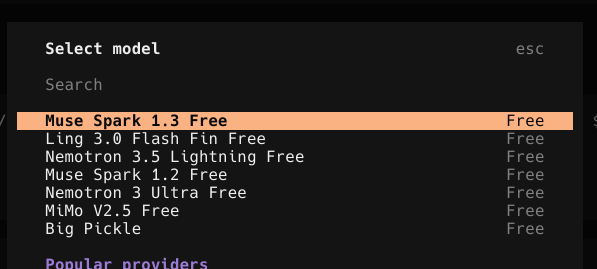
I already have amxmodx installed, as I do have yapb for bots. But well you can always ask it to install those for you.
Now I'm starting to give it an initial prompt asking it to figure out how the game is installed, how to interact with it, and to code and run the plugins.
find my CS 1.6 installation, create a simple amxx plugin, run the game, test if you can take screenshots, and if you can use rcon commands
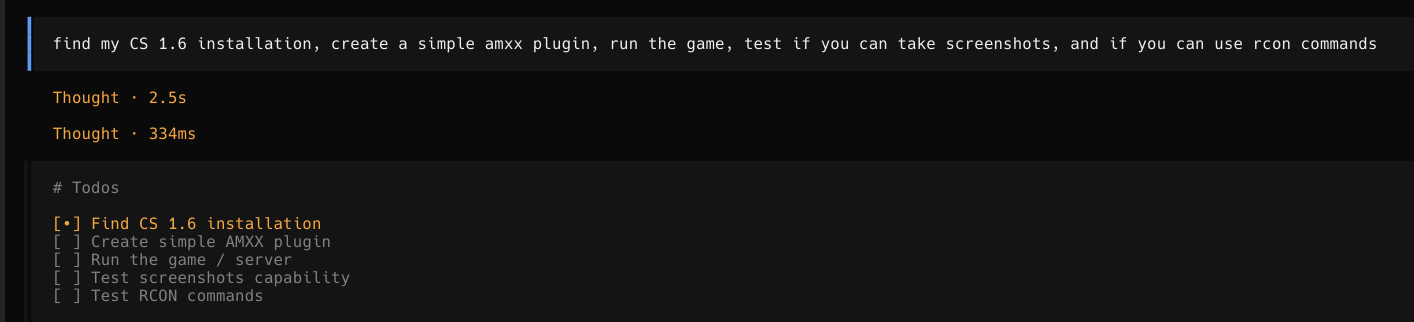
After some minutes (it can take a lot, ngl) you should see it opening the game by itself and testing and it will report something like this on the end:

Now, i'm going to ask it to make a more complex plugin and to test it self.
Now create an amxx plugin that gives the player a flying pet dragon. spawn a flying creature (models/stukabat.mdl from the Half-Life base game), that follows the player next to their right shoulder with a slight lag, when it sees an enemy bot, it roars, plays its attack animation and spits a burst of fireballs: animated xfireball3.spr sprites homing onto the target, with a flame sound.
Only use models, sprites and sounds that exist on disk, precache everything in plugin_precache(), and test it yourself in the running game with bots.

This took a lot of time ngl, but in the beginning you should totally let it do its thing so it can "learn" how to best do its loop, like forcing the player to join a team, and actually test what it did. We can work out some prompts or information to make this go faster but for now I just advise you to just test and see how it goes. You will have different results according to the LLM model you use like, some models trust more on images so they just get rid of the MOTD, and take screenshots, others do prefer the logs so they add logs to validate.
The final result, just from the initial prompt, one shotted:
Click here to watch the video
Code attached
PS: I have ommited some steps, like that opencode requests you for permissions, and the output it gave on each execution, to make this faster. But just try it yourself and if you have some questions tell me.