[TUT][HQ] Indenting your code in proper way!
Posted: Wed Sep 30, 2026 3:11 pm
Introduction
Hey there AM,
So I found many new beginners making a mistake of making the code poorly Indenting, and so I made
this small tutorial to help them fix this small problem.
So let's begin ,
Warning that you will receive is
The Code that is badly indented
When we compile this code it would show us this warning
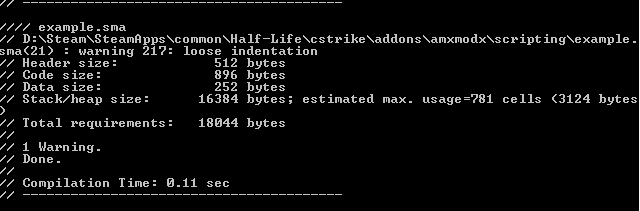
So let's fix this code now !
To do that we need
1.Brain
2.Notepad++
3.AMXx Studio
So let's begin,
Notepad++
Fixing the above code using Notepad++
1. Download
Notepad+
+.
2. Install TextFX plugin in notepad++
3. To install the plugin follow my instructions
Extract the file named(anywhere you wish) TextFX.v0.26.unicode.bin.zip
Now after extraction you will find a file named NppTextFX.dll
Copy that dll and paste it here (your directory:\Notepad++\plugins\NppTextFX.dll)
Restart Notepad++ and your done.
So now let's get back on indenting our badly indented plugin and to do so follow the below
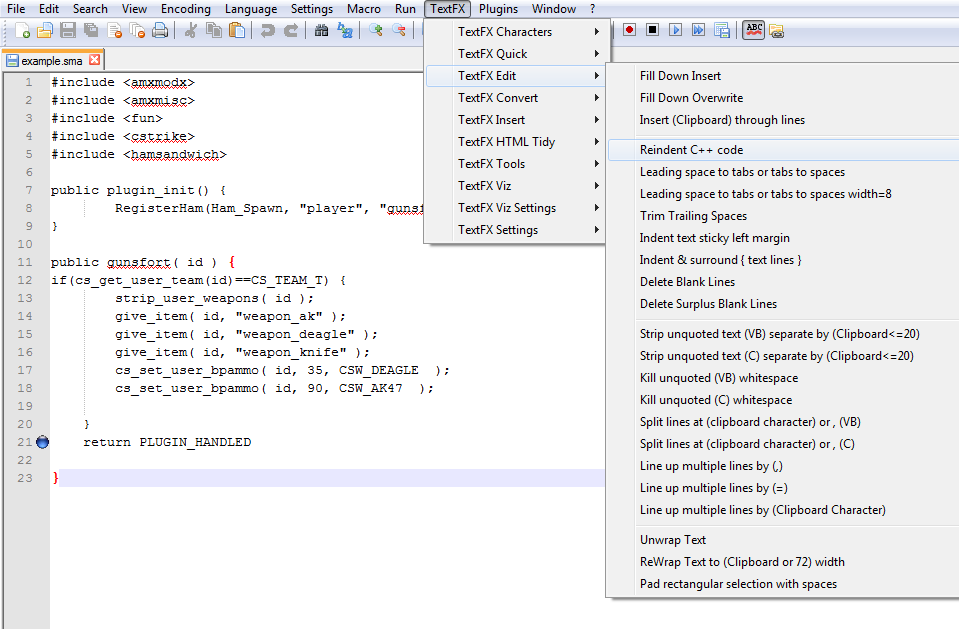
Note-It's still not indented because i have not pressed the re-indent c++ code option
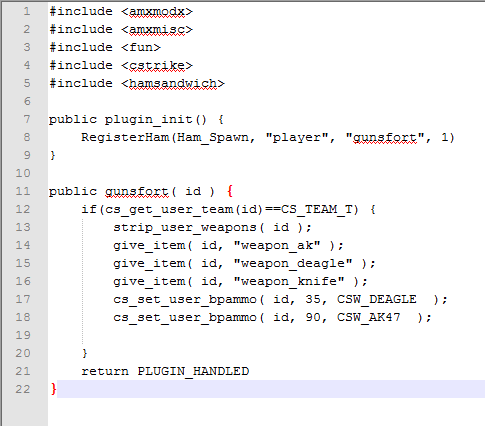
Let's get the indented code after pressing the option Re-indent C++ Code.
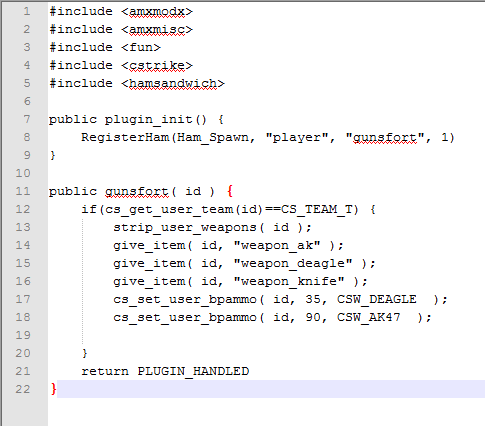
Now when you compile this plugin you will get this as a result
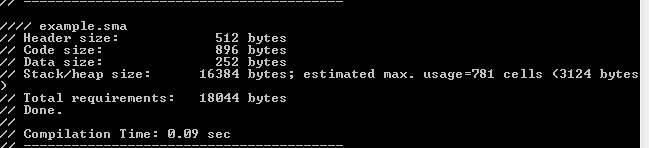
you might clearly see the difference in these two images that is when we don't press the
Re-Indent C++ Code option it like this
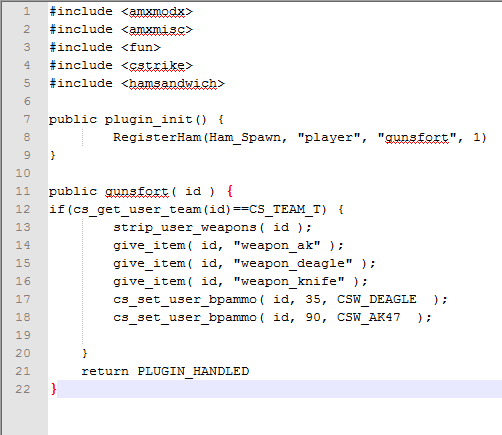
but when i press Re-indent C++ Code we get something like this
AMXx Studio
Now let's indented the same code using AMXx Studio.
To do that we have to
1.Open AMXx Studio
2.Paste the code in AMXx Studio
3.Go to tools and then press the option called Indenter
Ok let's do it
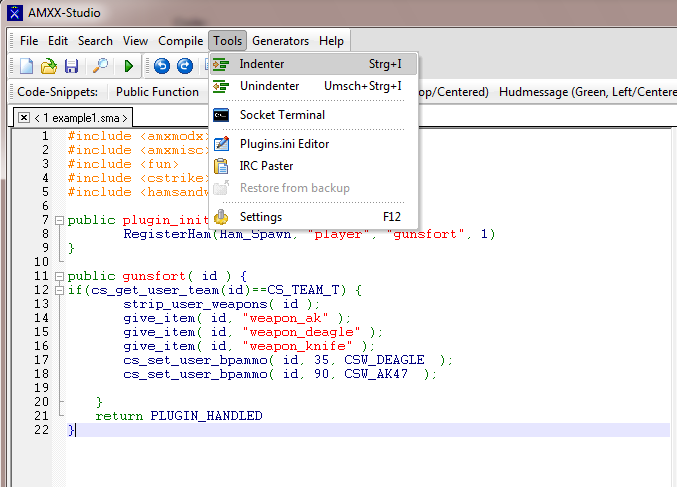
Note-This Code is NOT indented because I have not pressed the Indenter option.
Now let's press the Indenter option and get the Indented Code
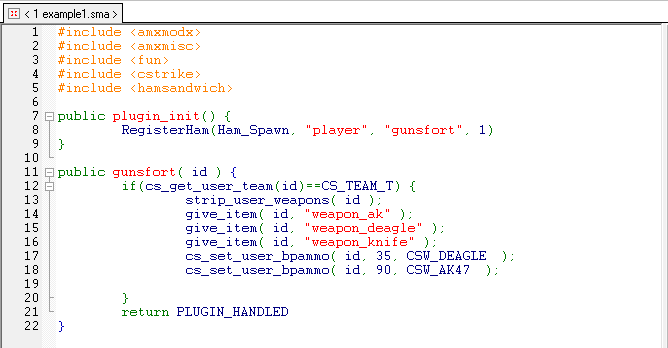
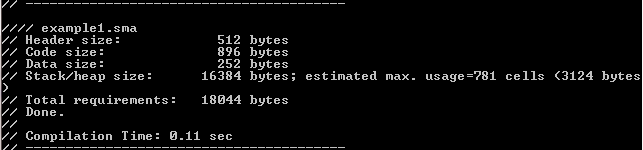
Now when we compile the Indented Code we will get this as a result
Conclusion-
Indentation makes your code look good and easy to read.
What I recommend it to always use Notepad++ for Indenting your code as it will fix all the indentation problems.
Hey there AM,
So I found many new beginners making a mistake of making the code poorly Indenting, and so I made
this small tutorial to help them fix this small problem.
So let's begin ,
Warning that you will receive is
Code: Select all
warning 217: loose indentationCode: Select all
#include <amxmodx>
#include <amxmisc>
#include <fun>
#include <cstrike>
#include <hamsandwich>

public plugin_init() {
        RegisterHam(Ham_Spawn, "player", "gunsfort", 1)
}

public gunsfort( id ) {
if(cs_get_user_team(id)==CS_TEAM_T) {
        strip_user_weapons( id );
        give_item( id, "weapon_ak" );
        give_item( id, "weapon_deagle" );
        give_item( id, "weapon_knife" );
        cs_set_user_bpammo( id, 35, CSW_DEAGLE  );
        cs_set_user_bpammo( id, 90, CSW_AK47  );

    }
    return PLUGIN_HANDLED
} So let's fix this code now !
To do that we need
1.Brain
2.Notepad++
3.AMXx Studio
So let's begin,
Notepad++
Fixing the above code using Notepad++
1. Download
Notepad+
+.
2. Install TextFX plugin in notepad++
3. To install the plugin follow my instructions
Extract the file named(anywhere you wish) TextFX.v0.26.unicode.bin.zip
Now after extraction you will find a file named NppTextFX.dll
Copy that dll and paste it here (your directory:\Notepad++\plugins\NppTextFX.dll)
Restart Notepad++ and your done.
So now let's get back on indenting our badly indented plugin and to do so follow the below
Note-It's still not indented because i have not pressed the re-indent c++ code option
Let's get the indented code after pressing the option Re-indent C++ Code.
Now when you compile this plugin you will get this as a result
you might clearly see the difference in these two images that is when we don't press the
Re-Indent C++ Code option it like this
but when i press Re-indent C++ Code we get something like this
AMXx Studio
Now let's indented the same code using AMXx Studio.
To do that we have to
1.Open AMXx Studio
2.Paste the code in AMXx Studio
3.Go to tools and then press the option called Indenter
Ok let's do it
Note-This Code is NOT indented because I have not pressed the Indenter option.
Now let's press the Indenter option and get the Indented Code
Now when we compile the Indented Code we will get this as a result
Conclusion-
Indentation makes your code look good and easy to read.
What I recommend it to always use Notepad++ for Indenting your code as it will fix all the indentation problems.