Pawn Picture Tutorial

For scripting examples for learning how to use AMXX.
User avatar
Archive-Poster
Posts: 1189
Gender:
United States of America

Pawn Picture Tutorial

Post by Archive-Poster »

Welcome to the Pawn Picture Tutorial. This will give you a better understanding of coding by relating it to some real world examples.

Note you need to read this entire tutorial in order to understand how to do things.
Comments : helping people understand code
Variables : how to store data
Arrays and Strings : how to store many data, words, and phrases
Functions : doing something you create
Natives : using something that is already made
Forwards : getting information when something happens
Structure : how to create your plugins
Tips and Tricks for Getting Started : other small tips that you will want to know
Other Help : a list of guides and tutorials you might find useful
Donations : helps me not have to dig through the trash for food

*Please note that these are examples of code and nothing will appear in game*

*This is intended for very basic purposes and there may be some things not completely correct.

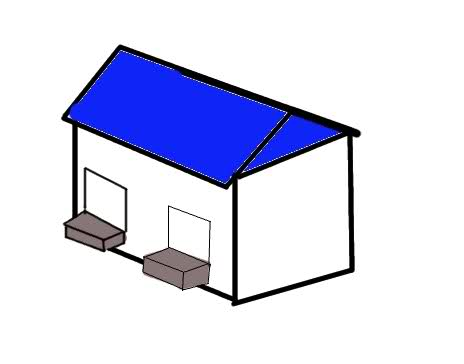
First of all, we will be associating a plugin to a warehouse. The warehouse has boxes (variables), machines (functions), loading and shipping ports (forwards and returns), and doors to other warehouses (natives).

Image

Comments

The very first thing you will need to know about coding is comments. Comments are not read by the computer, and serve no purpose to the actual code.
You can think of it as a sign. It doesn't actually do anything, but it can save you from making a mistake.

Image

An equivalent comment would be:

Code: Select all

//Be careful Michael Jackson hangs around here
However, there might be some changes and you can add some information to the comment:

Code: Select all

//Be careful Michael Jackson hangs around here

//As of June 25, 2009 we do not need to worry about Michael Jackson
Comments are placed in code so it is easier for someone to know or remember what something does.
Putting in comments can help you remember why you did something or help someone else understand your code.

Different programming languages have different types of comments, in Pawn there are two styles.
Single Line
Multi Line Comment

Single Line Comments start with //. Everything after // is ignored. It can be at the begining of a line, or in the middle of it.

Code: Select all

//This is a good comment

             //This is also a good comment
Multi Line Comments start with /* and end with */. Everything between the two is ignored.

Code: Select all

/*This comment type can be one line long*/

/*Or it
Can be
Spaced out*/
Variables

Anyway, now some actual code: a variable. Oh no a variable! Yes in math we learned about the variables N and X and how they represent any number.

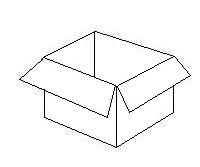
Now in code, a variable represents any number you assign to it. Basically think of it like a box.

Image

To create a new variable, we use the code:

Code: Select all

new variable_name
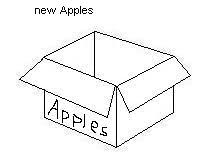
Where variable_name is... you guessed it, the variable's name. We try to give a variable a name similar to what it will represent, so if we are going to have it represent how many Apples there are:

Image

There are certain characters you cannot use in names, so as a rule of thumb, only use letters, numbers, and _ (underscores)
Note that we can name it whatever we want (almost), as long as we use that name later on.

Image

Note that we would have to use _ instead of a space
Names cannot begin with a number

Variables do not have to be named anything similar to what they represent, but code is easier to understand if they are named correctly.

Now we have these boxes, but what are they good for?

Well, we can put numbers into the box, and thus the variable has a number assigned to it (whatever is in the box). This may seem confusing at first, but try to read along.

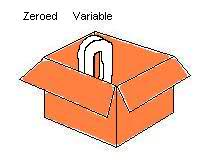
When we first create a variable, it is zeroed. That means that it is assigned the number 0.

Image

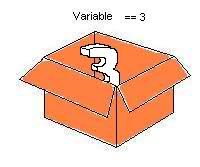
We can then change the variable with the following code:

Code: Select all

variable_name = 3
And it results in changing the number from 0 to 3.

Image

Note that = is used for assigning (changing) values.
And that == is used for comparing (checking) values.

A variable only pretends to be a number. So if we have:

Code: Select all

new variable
Then we do variable + 5 we would get 0 + 5 == 5
If we do:

Code: Select all

variable = 3
And then repeat variable + 5 we would then get 3 + 5 == 8
They can only represent one number at a time.

You should note that you do not need to do this monotonous task every time:

Code: Select all

new variable
variable = 3
You can intialize a variable to a value:

Code: Select all

new variable = 3
Before going on, we need to know the different types of variables. So far you have just learned about Integer variables. Yes another math term, what it means is that they have to be whole numbers.
Ie: ..., -5, -4, -3, -2, -1, 0, 1, 2, 3, 4, 5, ...

Another variable type is called a Boolean or Bool for short.
To create a bool variable we use:

Code: Select all

new bool:variable_name
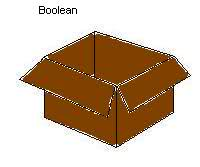
Image

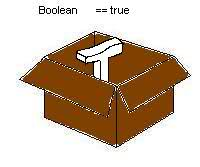
Bool variables can only be two values, true or false. Nothing else.

Image

Image

You cannot assign an integer to a boolean, think of it as if it won't fit in the box.

Integer variables are assigned by doing:

Code: Select all

variable_name = 3
But booleans are either True or False, we can't assign 3 to it. So we have to do:

Code: Select all

variable_name = true
or

Code: Select all

variable_name = false
Note that Bools start with the False value instead of 0

Where would you need a bool variable? A few examples would be:
  • Are the lights on
  • Is it night time
  • Is the player standing
  • Is the player holding a knife
User avatar
Archive-Poster
Posts: 1189
Gender:
United States of America

Re: Pawn Picture Tutorial

Post by Archive-Poster »

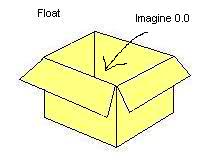
The last type of variable we will be addressing is the Floating Point or Float for short.
To create a Float variable we use:

Code: Select all

new Float:variable_name
Image

Floats can be almost any rational number (oh no another math term!)
You can tell it is a Float because the number always has a decimal point.
Here are some examples of values you can set:
..., -3.0, -2.0, -1.0, 0.0, 1.0, 2.0, 3.0, ...
..., -2.5, -1.5, -0.5, 0.5, 1.5, 2.5, ...
3.567, 2859.92, 28.3
Basically it can be any number with a decimal.
Note that Floats start with the value 0.0
Image

Okay, so here is a recap of variables:
Variable Names - Can be named almost anything, but better to be named something similar to what it is used for.
Names should only have: letters, numbers, and underscores
Variables hold numbers. They do nothing but pretend to be the number they are holding.
There are three main types of variables: Integers, Bools, Floats
Integers are whole numbers. They start with a value of 0
Bools are true or false. They start with a value of false
Floats are numbers with decimals. They start with a value of 0.0


Arrays and Strings

These are simple things to remember with variables.

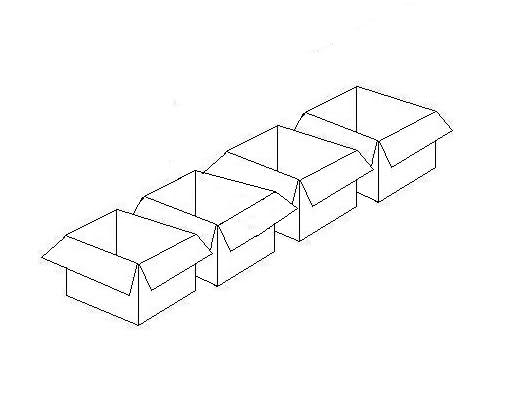
Arrays can be thought of as a row of boxes grouped together.
Image

To create an array, we use similar code to creating a variable:
Code: Select all

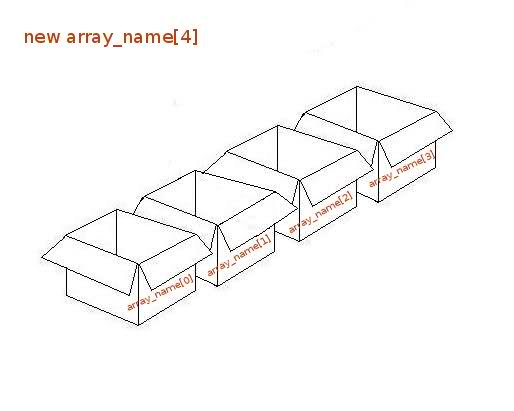
new array_name[4]
Image

Note that all the boxes share the same name
The number in square-brackets is how many boxes to create

If we want to create an array of 10 boxes, we would do:

Code: Select all

new array_name[10]
When referencing the individual boxes, we use:

Code: Select all

array_name[box_number]
Note that the box numbers are zero-based, so if we want the first box: array_name[0], second box: array_name[1], third box: array_name[2], etc.
Note that you cannot do array_name[-1], there are no negatively placed boxes.
If creating new array_name[3] there is no fourth box, so you cannot do array_name[3]
The last box you can use is the # created with -1. Ie.
array[4] has 4 boxes, 4-1 == 3, last box number is 3
array[11] has 11 boxes, 11-1 == 10, last box number is 10
array[32] has 32 boxes, 32-1 == 31, last box number is 31
You have to use integers within square-brackets

If we want to initialize an array with values, you do the following:

Code: Select all

new array[5] = {
	10,	//this is for the first box
	3,		//second box
	600,	//third box
	-5,	//fourth box
	20	//fifth and final box. notice it does not have a comma after its value
}
Why would you want an array? Here is an example:
You know that there is a max of 32 players in the server.
Let's say we want to know how many kills each player has
We would then create new kills_array[32] and use kills_array[ id - 1 ] for each player
Note that we do "-1" because the first player will use the first box, second player uses second box, etc.
However, most people do not like using the "-1", so instead we create the array with max players +1 == 32 + 1 == 33
new kills_array[33] then we can just use kills_array[ id ]

"So what else about arrays?" you might ask. Well we can declare types of arrays just like variables:

Code: Select all

new Float:array[3]
new bool:array[32]
Now I know your next question, "why...?"

Well, here is one common example:
A players origin (location) in a map is represented by 3 floating points. One is their X position, one is their Y position, and you guessed it, the last is their Z position.
In the HalfLife Engine, the Z position is a players height in the map.
We then would create:

Code: Select all

new Float:Origin[3]
X == first box, Y == second box, Z == third box
Then we could increase their height by 50 units:

Code: Select all

Origin[2] = Origin[2] + 50.0
Okay... now onto Strings.

Strings are basically arrays used to represent words, phrases, and any other text that might be seen.

For example, we can create an array to hold a players name.

Code: Select all

new Name[32]
Now each box we are going to assign a number that represents a different ASCII character.
'A' to 'Z' characters are the numbers 65 to 90
'a' to 'z' characters are the numbers 97 to 122
However, we don't want to memorize every single number for each character, so instead we use apostrophes around the character.
So we can do:

Code: Select all

new Name[32]
Name[0] = 'M'
Name[1] = 'y'
Name[2] = ' '
Name[3] = 'N'
Name[4] = 'a'
Name[5] = 'm'
Name[6] = 'e'
Name[7] = '^0'
Note that each box holds one character.
Note that we use '^0' to identify the end of a string.
Our code results in: Name == "My Name"

However, we do not want to have to do each letter one by one, that would be rediculous! So instead we can initialize (start) the string with:

Code: Select all

new Name[32] = "My Name"
And it produces the same end result.

That is a quick guide for Arrays and Strings, so here is a recap:
Create an array with 3 boxes with: new array_name[3]
To reference a box, we use the box number - 1 because they are zero-based (starting with 0)
In an array of 10 boxes, you cannot reference box[10]
You can declare a type on an array just like you would with a variable: new Float:array[3] and new Bool:array[6]
Strings are arrays with values representing ASCII characters with '^0' at the end of the string


Functions

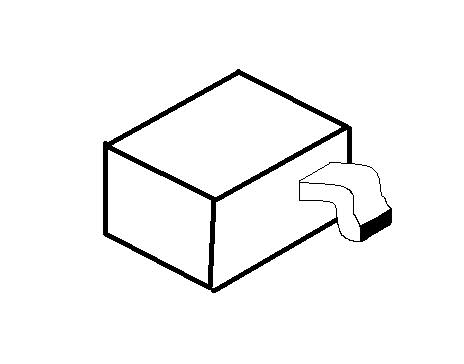
Think of them as these machines that you have in your warehouse. You need to activate them, then they do something.
Image

To activate a function in code:

Code: Select all

FunctionName()
Some machines spit something out that weird looking exhaust hole. This value is called the return value.
Some machines return whether or not they worked, while others return other values.
In order to save a return value, one can think of putting a box (variable) under the exhaust hole.
You can do this by:

Code: Select all

variable_name = FunctionName()
Note that functions can return different types of variables: Float:AnotherFunction() would need:

Code: Select all

new Float:variable
variable = AnotherFunction()
But don't stop there! Some functions don't just need to be activated, they need parameteres as well.

Image

Think of putting a number into the hole on top or dumping a variable's number into the hole.

Code: Select all

FunctionName( 1 )
and

Code: Select all

new variable = 1
FunctionName( variable )
do the same thing.
Note that variable does not lose its value, it still contains the value it went in with

Some functions need multiple parameters:
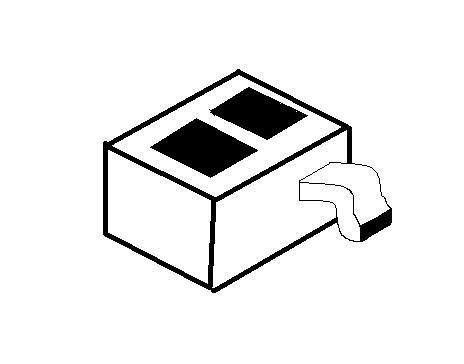
Image

Code: Select all

FunctionName( parameter, parameter2, parameter3 )
Note that parameters can be any type of variable: FunctionName( Float:parameter, Bool:parameter2 )
Note that you must supply similar parameter types, if a function is declared with a float, passing a boolean will give you a warning
Parameters can be either variables or arrays

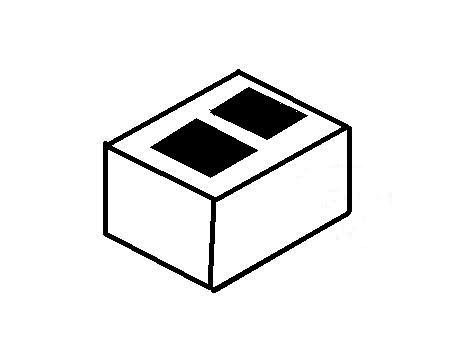
And some functions do not return anything ( 0 will be returned by default ):
Image

Hold your horses though, we cannot use a function yet. We still need to create a function.

Here is an example function that returns the first parameter plus five.

Code: Select all

AddFive( number )
{
	new plus_five
	plus_five = number + 5
	return plus_five
}
Note that a function's name has the same rules as variable names (try to only use letters, numbers, and underscores)

Now that we have that function in our code, somewhere else in our plugin, we can use it:

Code: Select all

new variable
variable = AddFive( 0 )
//note that variable == 0 + 5 == 5
new second_variable
second_variable = AddFive( variable )
//note second_variable == variable + 5 == 5 + 5 == 10
So a recap of functions:
Functions are like machines in your warehouse that do something
Some functions need specific parameters in order to be activated
Parameter types are dependent on how the function is declared (created)
Some functions return a value
Return values depend on how the function is declared (created)
You need to create them in order to use them somewhere else


Natives

These are very similar to functions because that is basically what they are. Natives are machines that are not in your warehouse.
You can think of them as shortcuts to another warehouse's machine.

They have the same form as a function:

Code: Select all

NativeName(parameter, parameter2)
They can have parameters
They can return values
You do not create them in your code, they exist somewhere else


Forwards

Now these are going to be one of the key things that make your code work.
You can think of them as your ports of the warehouse or communication with the outside world.

In order for your code to do something, you need to be told of an event.
Some simple events or forwards for games would be when someone spawns or dies.
But wait! Your code doesn't let anyone know that it wants to be told about that information!

There are two core forwards that you will need to know about:
plugin_init : when your code is first contacted to know what information it will be needing
plugin_precache : when your code is contacted to know what it will need for building things (such as models, sprites, and sound)
Note that this is usually called before plugin_init

If we want to know when a player spawns, we would then register the forward during plugin_init then the forward will be called everytime it occurs.
There are several different ways to register forwards so I will not go into it here right now.

Looking at this thread we see that we can register the forward with this native:

Code: Select all

RegisterHam(Ham_Spawn, "player", "fwHamPlayerSpawnPost", 1)
Great, now the outside world knows that we want to know when a player is spawned, but where are we going to send that information?

A common parameter to register natives is a public function name. Basically it is the location we are sending it to.
Looking back at the native

Code: Select all

RegisterHam(Ham_Spawn, "player", "fwHamPlayerSpawnPost", 1)
the third argument is the public function name.

So now we have to create that function like so:

Code: Select all

public fwHamPlayerSpawnPost(iPlayer)
{
        if ( is_user_alive( iPlayer ) )
        {
                // player spawned
        }
}
Note that this function has public in front so it can interract with the outside world

Another part to most forwards are the returns. Different forwards use different types of returns, but for now we will just talk about:
PLUGIN_HANDLED
PLUGIN_CONTINUE
PLUGIN_HANDLED_MAIN

Returns let the world know what to do once you received the information.
Note that if you don't return a value, 0 is returned by default.

PLUGIN_HANDLED says to stop the information from being sent anywhere else. It will stop it from going to other plugins and stop it from going to the server.
PLUGIN_CONTINUE says to do nothing. Everything will continue as normal, other plugins and the server will get the information.
PLUGIN_HANDLED_MAIN says to stop the information from being sent to the server. It will go to other plugins, but not the server.
Note that these are just for some forwards. In a FakeMeta forward, it will want FMRES_* returns. In a Ham forward, it will want HAM_* returns.
It is important to use the correct returns because you may return something unintended. For example: PLUGIN_HANDLED is the same value as FMRES_IGNORED but if you return PLUGIN_HANDLED in a FakeMeta forward, it will not stop it. Just always try to use the correct returns.
Note that some forwards (ex. plugin_init()) ignore return values
User avatar
Archive-Poster
Posts: 1189
Gender:
United States of America

Re: Pawn Picture Tutorial

Post by Archive-Poster »

Structure

All code has a type of structure to follow, you cannot just put random pieces of code in random spots and expect it to work.
In a warehouse, you cannot put a door on the roof and expect people to be able to walk in through it. You do not want to put a doorway in the middle of someone's office.
You need to place your code in the correct places.

Here is the order of items that most plugins are created:
Large Comment : helping people understand what your code does
Includes : getting natives and forwards to use
Defines : having constants throughout your code
Global Variables : variables that everything in your code can interract with
Plugin Loading : when your plugin first loads up
Functions and Forwards : how to create a function
Statements and Loops : checking and repeating code
Brackets : differences between brackets
White-Space and Indentation : making your code easier to read


Large Comment [structure]
At the begining of a plugin's code there can be a large comment. The comment usually talks about the plugin, what changes have been made, or other things. This is just friendly for people trying to read the code, so they know what the code is going to do. However, most plugins do not contain this, and just jump into the next part.


Includes [structure]
Before you start any other code, one will want to include some libraries. Wait what? You can think of them as stores. We only want to go to stores that have the things we want.

We wouldn't go to Ralphs and BestBuy if we are trying to buy a computer, we would just go to BestBuy.

What do the libraries do? They allow you to use natives from other places.
Some libraries have their own forwards already too. You can think of it as if the stores are sending you information about the store.

Almost every plugin will contain: #include <amxmodx> as it has the basic natives for creating a plugin.
The amxmodx include file also contains the forwards plugin_init and plugin_precache.

Once you have your includes setup, you can start with some actual code.


Defines [structure]
These are just helpers for people. They help keep code constant in multiple areas.
In the format: #define DEFINE_NAME definition
DEFINE_NAME is what will be replaced in the code.
definition is what it will be replaced with.
Note that most people use CAPS to indicate that something does not change.

So if we have: #define MAX_PLAYERS 32
Everywhere in the code that has MAX_PLAYERS, it will change to 32.

Some plugins don't use any self-made defines and just continue to the next thing.


Global Variables [structure]
Okay, you should have an understanding of variables and this is a small little addon.
If a variable is global it can be accessed everywhere in your warehouse.
Usually people place a "g" at the begining of a global variable's name to indicate that it is global.
So if we wanted to make a global variable, we would simply do:

Code: Select all

new gVariableName
Some plugins don't use any global variables and just continue to the next thing.


Plugin Loading [structure]
As talked about before, this is where the forward plugin_init comes into effect.
In most cases, plugins have their plugin_init in the form:

Code: Select all

public plugin_init()
{
	register_plugin( "Plugin Name", "Plugin Version", "Plugin Author" )

	//Add all extra stuff here
}
Extra stuff can be anything, such as registering cvars, events, or forwards.

Another core part to some plugins is precaching. This is usually done in the forward plugin_precache.
Precaching tells the server that we are going to use this model, sprites, or sound so make sure the players connecting have these files.
If the player does not have this file, then they download it.

If you use a model, sprite, or sound in your plugin, you should precache it or else when you try to use it, the server will most likely crash.
It is usually done in this format:

Code: Select all

public plugin_precache
{
	//For models:
	precache_model("models/model_name.mdl")

	//For sprites:
	precache_model("sprites/sprite_name.spr")

	//For sounds:
	precache_sound("sound_name.wav")
	// Note that it is recommended that sounds are .wav files
}
Note that there can be subfolders in the file's location Eg:

Code: Select all

"models/folder/model.mdl"
Note that plugin_precache usually happens before plugin_init

Now that our plugin is loaded, we can actually do some things now.


Functions and Forwards [structure] [top]
First I should mention that the only thing that serperates Functions and Forwards is that Forwards are declared public and can be accessed by other plugins/modules.

Functions are only accessible from the plugin they are created in. Otherwise, they behave exactly the same.

I'm going to stop refering to them serparetly, and instead only refer to them as functions.
If it has public in front, assume it is a forward.

Functions are usually created in the format:

Code: Select all

FunctionName(parameters)
{
}
And they execute all the code within the brackets.
You cannot create a function within another function.
If you create a variable inside a function, it is only accessible in that function.


Statements and Loops [structure]
There are several types of statements and loops, and here are the more common.
if( ){ }
if( ){ }else{ }
switch( ){ case CONST:{ } case CONST2:{ } default:{ } }
for( { }; ( ); { } ){ }
while( ){ }
do{ } while( )

The main parts of the statements and loops are the conditional ( ) and the action { }.
if : statement : If the conditional is true, execute the action. Eg:

Code: Select all

if( variable == 1 )
{
		//if variable == 1 execute this code
}
if
...else : statement : If the conditional is true, execute the action, otherwise execute the second action. Eg:

Code: Select all

if( variable == 1 )
{
		//if variable == 1 execute this code
}
else
{
		//if variable != 1 execute this code
}
switch : statement : Executes the corresponding action. There can be any amount of cases and the default is not required. Eg:

Code: Select all

switch( variable )
{
	case 0:
	{
		//if variable == 0 execute this code
	}
	case 1:
	{
		//if variable == 1 execute this code
	}
	default:
	{
		//if variable is not any of the preceding cases execute this code
	}
}
for : loop : Executes the first action when starting. Checks the middle conditional, if true it stops the loop. At the end of the last action, it executes the second action. Eg:

Code: Select all

for( new variable; variable < 5; variable++ )
{
	//this code will be executed with the following values for variable: 0, 1, 2, 3, 4
}
while : loop : Checks conditional, if true it executes the action. Eg:

Code: Select all

while( Function() )
{
	//this code will be executed until Function() returns false
}
do...while : loop : Executes the action at least once, it repeats the action until the conditional is false. Eg:

Code: Select all

do
{
	//this code will be executed at least once, and more until Function() returns false
}
while( Function() )
Extras for loops:
break : stops a loop
continue : goes to the next sequence of a loop
Be careful not to get stuck in an infinite loop!

Brackets [structure] [top]
Types of Brackets:
Curly-Brackets: { }
Square-Brackets: [ ]
Parenthesis: ( )
First of all, you need to make sure that you have a matching close bracket/parenthesis for each opening bracket/parenthesis.

In most conditions for square-brackets and parenthesis, you will want to have the closing part on the same line.
On the other hand, curly-brackets are mainly used for multiple lines.

Curly-brackets can be used to represent a length of code that needs to be executed.
By default, the compiler assumes that there will only be a single line of code to execute. However, to execute more than one, you can use Curly-Brackets.
Eg:

Code: Select all

if( variable )
	Function();
	//Function is the only part within the if statement
	Function2();
	//Function2 is not within the if statement

Code: Select all

if( variable )
{
	Function();
	//Function is in the if statement
	Function2();
	//and so is Function2
}
White-Space and Indentation [structure] [top]
White-Space (spaces, tabs, new lines) do not effect performance, but greatly effect being able to read the code.
For indentation, a common rule of thumb is, between every new set of curly-brackets add another tab. You can either use tabs or spaces, but as long as they are the same.

Code: Select all

Function()
{
	new variable, variable2

	if( variable )
	{

		//added a tab for new curly brackets

		if( variable2 )
		{

			//added another tab

		}

	}
}
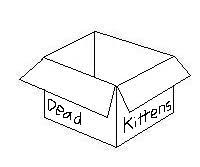
This helps keep your code readable. Every time you show someone with code that is not indented properly, a kitten dies.
If you try to compile your code and it does not have proper indentation, it will give you a warning for "loose indentation".

Tips and Tricks for Getting Started [top]

! (not):
The exclamation mark can be substituted with the word not.
For example, if you have

Code: Select all

if( !is_user_alive(id) )
It means: if the user is not alive.
Additionally, this can be applied to variables. If you have:

Code: Select all

if( !variable )
It means: if the variable is zeroed

Operator shortcuts:

Code: Select all

//If you have to do something like this
variable = variable + other_variable
//you can shorten your code to
variable += other_variable
//this works with all operators (+,-,*,/,etc.)
Increase/Decrease by one:

Code: Select all

//If you find yourself adding or subtracting one, you can use this shortcut
variable++ //this increases by one
variable-- //this decreases by one
To clear a string:

Code: Select all

string_name[0] = '^0'
Natives with extra formatting
Some natives require extra formatting, the most common are:
format
formatex
log_amx
client_print
When formatting a string:
%d and %i : replaces with the corresponding integer parameter
%f : replaces with the corresponding float parameter
%s : replaces with the corresponding string parameter

Using set_task
If you need something to happen after an amount of time, use the native set_task.

Code: Select all

// The parameters break down as such:
// * Float:time - Interval of timer in second. (minimum 0.1 seconds)
// * function[] - A string that contains the public function to run on the timer.
// * id - A unique id to assign to the task.
// * parameter - An array contain data to send to the timer function.
// * len - Size of the array to send to the timer function.
// * flags - One of the following:
// -- "a" - Repeat task a specified number of times
// -- "b" - Loop task infinitely
// -- "c" - do task on time after a map timeleft
// -- "d" - do task on time before a map timeleft
// * repeat - If flags is "a", specifies the number of times to repeat the task.
set_task ( Float:time, const function[], id = 0, parameter[]="", len = 0, flags[]="", repeat = 0 )
Note that the function being called needs to be declared as public.
Post Reply

Who is online

Users browsing this forum: No registered users and 0 guests